




























Menu
Your Cart

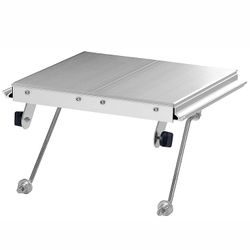
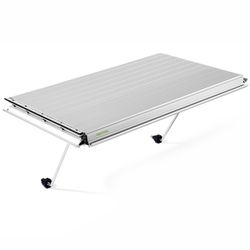
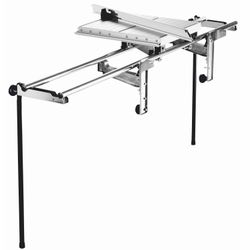
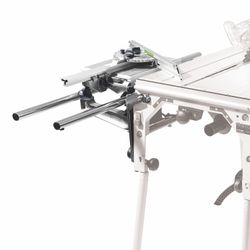
FESTOOL AB-KS 120 KAPEX Crown Stop with Table Widener

FESTOOL AB-KS 120 KAPEX Crown Stop with Table Widener
  • Stock: In Stock
  • Brand: FESTOOL
  • Model: FES494369
  • Weight: 0.92kg
  • Dimensions: 250.00cm x 219.00cm x 79.00cm
  • SKU: FES494369
  • UPC: 4014549075883
Products Sold: 0
Product Views: 9
R 3,081.43
Ex VAT: R 2,679.50
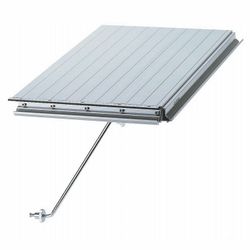
Festool AB-KS 120 KAPEX Crown Stop with Table Widener

At a Glance: Dedicated crown moulding stop and table widener for the Festool KAPEX KS 120 and KS 88, designed to hold cornice, crown, stucco and light mouldings securely in their installed angle for accurate, repeatable mitre cuts.

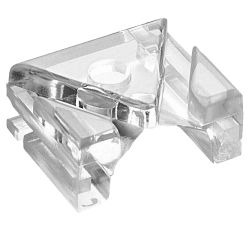
The Festool AB-KS 120 is a clever KAPEX accessory that makes cutting crown moulding, cornice, stucco profiles and light mouldings considerably easier and more repeatable. Instead of laying the moulding flat and calculating complicated compound angles, the AB-KS 120 supports the profile at an angle so it can be positioned on the KAPEX in the same orientation in which it will ultimately be installed. The moulding is held securely against the stop, helping prevent it from slipping while the cut is made and allowing accurate, repeatable mitres with less trial-and-error and reworking. The accessory also functions as a table widener, providing additional support beside the saw for broader or awkward workpieces. Designed for the Festool KAPEX KS 120 and KS 88, the AB-KS 120 also forms part of the KA-KS trimming-attachment system and can be used to secure the KA-KS extension. It is a particularly useful addition for professional installers, shopfitters, cabinetmakers and finish carpenters who regularly work with decorative mouldings.

No slipping. Better support. More repeatable moulding cuts.

Crown mouldings are normally installed at an angle between a wall and ceiling. Holding that same angle consistently while cutting can be difficult, particularly with long or decorative profiles. The AB-KS 120 provides a defined support surface that holds the moulding securely in its angled position, reducing movement and allowing the KAPEX to make clean, repeatable cuts without continually repositioning the workpiece.

Product highlights

  • Purpose-built crown moulding stop: Supports decorative profiles at an angle for accurate KAPEX cutting.
  • Prevents moulding movement: Holds the workpiece securely in position so it cannot slip as easily during the cut.
  • More accurate results: Consistent positioning helps produce cleaner, more repeatable mitres.
  • Less reworking: Reduced workpiece movement helps minimise incorrect angles and time-consuming recutting.
  • Fast installation: Festool's straightforward design allows the accessory to be fitted quickly for moulding work.
  • Integrated table widening: Also provides additional workpiece support beside the KAPEX saw table.
  • Nested crown cutting: Allows suitable mouldings to be held in their angled installation position while being cut.
  • Compatible with KAPEX KS 120: Designed specifically around the professional KS 120 sliding compound mitre saw.
  • Compatible with KAPEX KS 88: Also suitable for the KS 88 KAPEX saw.
  • KA-KS system integration: Can also be used for securing the Festool KA-KS trimming attachment.
  • Ideal for decorative profiles: Particularly useful for crown moulding, cornices, stucco mouldings and light strips.
  • Professional installation accessory: Designed for repeat fitting work where accuracy and setup speed both matter.

Product Compatibility

  • Festool KAPEX KS 120: Designed for use with the Festool KS 120 sliding compound mitre saw.
  • Festool KAPEX KS 88: Compatible with the Festool KS 88 sliding compound mitre saw.
  • Festool KA-KS: The AB-KS 120 can also be used for securing the KA-KS trimming attachment / table-extension system.
  • KA-KS system: Festool specifies the AB-KS 120 as compatible with the KA-KS accessory system rather than the KA-UG underframe trimming attachments.

Important compatibility note: The AB-KS 120 is intended for the KAPEX KS 120 and KS 88. When used in conjunction with Festool trimming attachments, it is specifically matched to the KA-KS system. The KA-UG underframe system uses a different crown-stop accessory.

Write a review

Please login or register to review

Unlimited Blocks, Tabs or Accordions with any HTML content can be assigned to any individual product or to certain groups of products, like entire categories, brands, products with specific options, attributes, price range, etc. You can indicate any criteria via the advanced product assignment mechanism and only those products matching your criteria will display the modules.

Also, any module can be selectively activated per device (desktop/tablet/phone), customer login status and other criteria. Imagine the possibilities. 

Features

  • Angled moulding support: Positions crown and decorative mouldings securely in an inclined orientation.
  • Integrated stop: Creates a repeatable reference position for consecutive moulding cuts.
  • Table-widener function: Provides additional support area beside the KAPEX saw table.
  • KAPEX system accessory: Specifically designed to complement the accuracy and versatility of the KS 120 and KS 88.
  • KA-KS attachment function: Also serves as a mounting or securing point for the KA-KS trimming attachment.
  • Quick setup: Straightforward mounting minimises time spent converting the saw for moulding work.
  • Professional construction: Designed for repeated workshop and jobsite installation use.

Benefits

  • More reliable mitres: Holding the moulding in a repeatable orientation makes accurately matching corners much easier.
  • Reduced slipping: The profile is positively supported instead of relying entirely on hand pressure to maintain its angle.
  • Less trial and error: Consistent workpiece positioning reduces the need to repeatedly adjust and recut mouldings.
  • Faster repetitive work: Once the stop position is established, additional sections can be positioned consistently.
  • Better support: The table-widener function increases the support area for long or awkward workpieces.
  • Simplifies crown moulding work: Suitable profiles can be cut in their installed or nested orientation instead of requiring complicated flat-cut calculations.
  • Greater KAPEX versatility: Adds a specialised moulding function to an already highly capable mitre-saw system.
  • Integrates with KA-KS: Supports a broader Festool workstation setup for handling longer material.

Application

  • Cutting crown mouldings.
  • Cutting cornice profiles.
  • Cutting stucco mouldings.
  • Cutting decorative ceiling mouldings.
  • Cutting light strips and light mouldings.
  • Supporting profiles in an angled installation position.
  • Repeat mitre cutting of matching decorative profiles.
  • Interior finishing.
  • Shopfitting.
  • Kitchen and cabinet installation.
  • Furniture installation.
  • Finish carpentry.
  • Professional renovation and fitting work.

Extra Information

  • What is a crown stop? A crown stop is a support that holds decorative moulding at a defined angle while it is being cut on a mitre saw. This is particularly useful for profiles designed to bridge the junction between a wall and ceiling.
  • Why does the moulding need support? Crown profiles often have relatively narrow contact points when placed against a saw fence and table. Without a dedicated stop, they can rotate or slide slightly, changing the resulting mitre angle.
  • What is nested cutting? Nested cutting means positioning the crown moulding against the saw table and fence in substantially the same orientation in which it will be installed. Once the spring angle is established, the mitre saw can make the required corner cuts without first converting them into compound flat-cut settings.
  • Why is repeatable positioning important? Even a small change in how the moulding rests against the fence can change the finished joint. A fixed stop helps each subsequent length sit in the same position.
  • Table-widener function: The AB-KS 120 is more than a moulding stop. Festool also designed it to provide additional table support for the workpiece.
  • KA-KS integration: The accessory is also used to secure the KA-KS trimming attachment, allowing it to form part of a larger material-support system around the KAPEX.
  • KA-KS versus KA-UG: These are different Festool support systems. The AB-KS 120 is the crown stop associated with the KA-KS system. Festool uses a separate AB-KA-UG crown-stop accessory for the KA-UG underframe trimming attachments.
  • Especially useful for repeat work: Once a moulding profile has been positioned correctly, identical lengths can be placed against the same stop reference, which can make an entire room or installation significantly quicker to complete.
Why cutting crown moulding can be tricky

Crown moulding is installed at a spring angle rather than lying flat against either the wall or ceiling. If that angle changes while a piece is being cut, the resulting mitre will also change. The AB-KS 120 solves this practical problem by giving the profile a stable, repeatable support position on the KAPEX, making it much easier to produce matching inside and outside corner joints.

Pro Tips

  • Before cutting finished moulding, use a short offcut to establish the correct installed angle and stop position.
  • Mark the top and bottom of complex crown profiles on sample pieces. It is surprisingly easy to reverse a moulding when cutting opposite corners.
  • Once the correct position is found, avoid altering the stop between matching cuts unless the moulding profile changes.
  • For repeated profiles around an entire room, keep a small setup sample so the correct moulding orientation can be restored quickly later.
  • Use the KAPEX workpiece clamp where appropriate to keep the moulding securely against the stop during the cut.
  • Do not push a warped moulding forcefully against the stop. Correctly support long stock so it rests naturally in the required position.
  • Support long lengths with the KA-KS or another appropriate Festool support system so their weight does not pull the profile away from the crown stop.
  • Cut a pair of test pieces for an inside or outside corner before committing expensive decorative moulding.
  • For walls that are not perfectly square, measure the actual corner rather than assuming it is exactly 90°.
  • Use the Festool bevel where appropriate to transfer unusual wall angles directly to the KAPEX setup.
  • Keep the contact surfaces of the crown stop clean. Chips or small offcuts trapped behind a moulding can alter its angle enough to spoil a joint.
  • Use a suitable fine-cut saw blade when working with finished decorative mouldings where a clean visible edge is important.

How to Use

  • Switch off the KAPEX and disconnect it from the power supply before installing or adjusting accessories.
  • Fit the AB-KS 120 to the appropriate side of the compatible KS 120 or KS 88 according to the Festool operating instructions.
  • Make sure the crown stop and table-widener section are fully seated and securely fastened.
  • Place a short sample of the actual crown or decorative moulding against the KAPEX table and fence.
  • Rotate the moulding into the same spring angle in which it will be installed.
  • Move the crown stop into position so it supports the moulding securely and prevents it from changing angle.
  • Lock the stop position securely.
  • Check the setup with a test piece and make a trial cut before cutting the finished moulding.
  • For long workpieces, provide additional support using the appropriate KA-KS or other compatible support system.
  • Position the moulding against the saw fence, table and AB-KS 120 reference surfaces without gaps.
  • Clamp the workpiece where appropriate and keep hands clear of the blade path.
  • Set the required mitre angle and make the cut according to the KAPEX operating instructions.
  • Allow the blade to stop completely before removing the cut component.
  • For repeat pieces, position each new length against exactly the same AB-KS 120 reference before cutting.

Specifications

Description Spec
BrandFestool
Cat No.FES494369
Festool Order No.494369
Product TypeCrown Moulding Stop with Table Widener
ModelAB-KS 120
Compatible SawsKAPEX KS 120, KAPEX KS 88
Compatible Trimming AttachmentKA-KS
KA-UG CompatibleNo - KA-UG uses a separate crown-stop system
Primary FunctionPositioning Crown Mouldings at an Angle
Additional FunctionTable Widener / Workpiece Support
KA-KS Mounting FunctionYes
Suitable ProfilesCrown Mouldings, Cornices, Stucco Mouldings, Light Strips
EAN / Barcode4014549075883
Quantity1 Piece

Scope of Delivery:

  • 1 x Festool AB-KS 120 crown moulding stop with table widener

Safety

  • Always disconnect the KAPEX from its power supply before installing, removing or repositioning the crown stop.
  • Use the AB-KS 120 only with compatible Festool KAPEX KS 120 and KS 88 saws and the intended KA-KS accessory system.
  • Make sure the accessory is fully seated and securely fastened before placing a workpiece on it.
  • Check that the moulding is stable and correctly supported before starting the saw.
  • Use an appropriate workpiece clamp whenever the profile cannot be held securely by the normal saw setup.
  • Support long mouldings so their weight cannot lift or twist the workpiece away from the fence or crown stop.
  • Keep hands outside the marked danger zone and well clear of the saw blade.
  • Never hold a small offcut close to the blade simply to keep the crown profile in position.
  • Check that the saw head, blade and guards have sufficient clearance from the accessory throughout the complete intended mitre and bevel movement before cutting.
  • Remove loose offcuts and debris from the saw table before making the next cut.
  • Do not attempt to adjust the crown stop while the saw blade is moving.
  • Allow the blade to stop completely before removing workpieces or offcuts.
  • Wear appropriate eye and hearing protection when operating the KAPEX.
  • Use suitable dust extraction and respiratory protection appropriate to the moulding material being cut.
  • Follow the Festool KAPEX, AB-KS 120 and KA-KS operating and safety instructions before use.